Popular interview question: how to diagnose a mysterious process that’s taking too much CPU, memory, IO, etc?
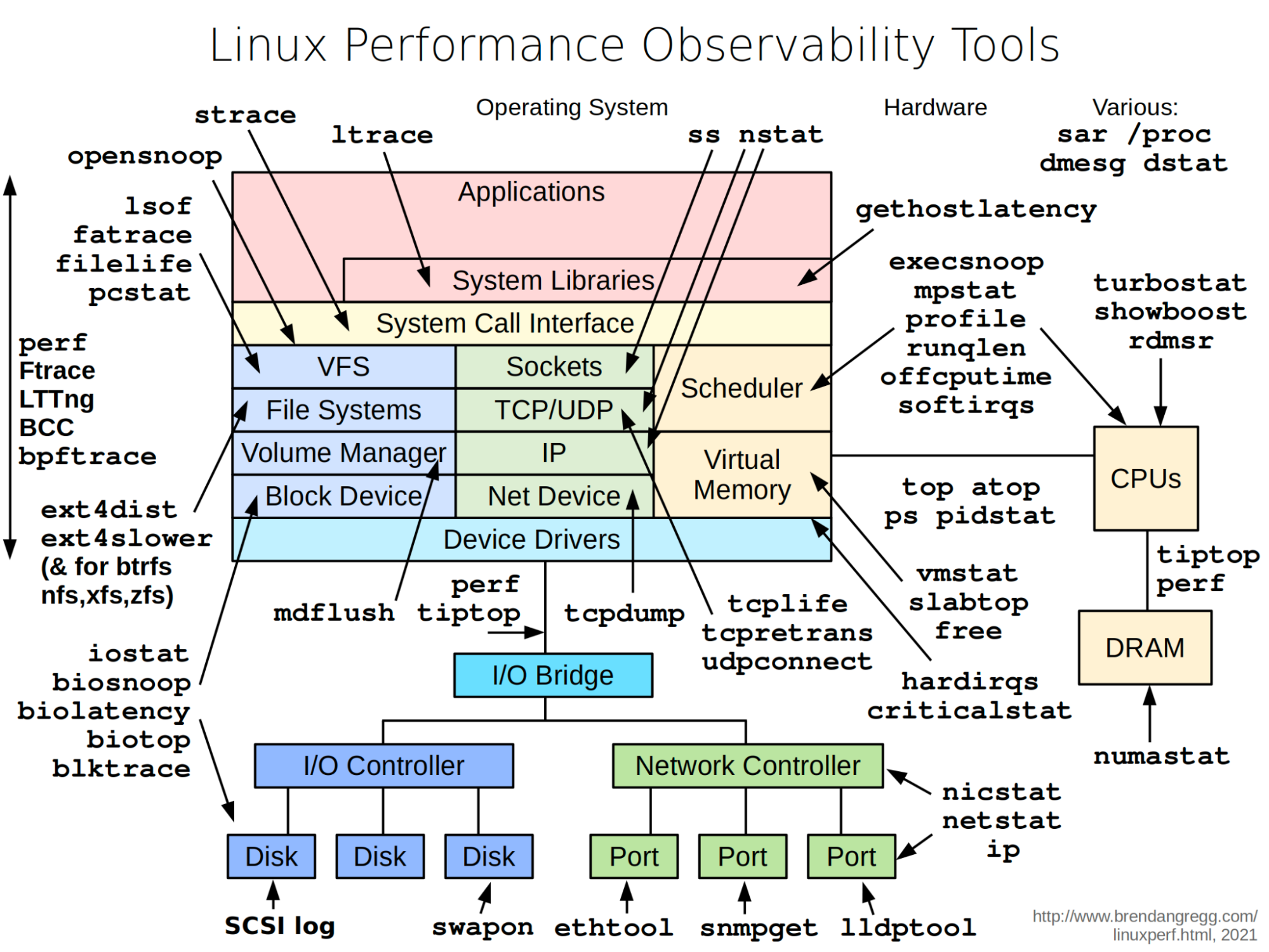
The diagram below illustrates helpful tools in a Linux system.
🔹‘vmstat’ - reports information about processes, memory, paging, block IO, traps, and CPU activity.
🔹‘iostat’ - reports CPU and input/output statistics of the system.
🔹‘netstat’ - displays statistical data related to IP, TCP, UDP, and ICMP protocols.
🔹‘lsof’ - lists open files of the current system.
🔹‘pidstat’ - monitors the utilization of system resources by all or specified processes, including CPU, memory, device IO, task switching, threads, etc.
Credit: Diagram by Brendan Gregg